DES Studio — now live

Understand your system
before you commit to it.

Simmodlr is a free, browser-based discrete-event simulation tool. Model queues, resources, and service processes — no install, no code, results you can rely on.

Free · No install · Runs entirely in your browser · simmodlr.app

1,248
Engine unit tests
95%
Confidence intervals, statistically sound results
Proven
Robust simulation engine
£0
Cost to use, forever

Spreadsheets lie about queues.

Queueing formulas assume steady-state averages. Real systems don't work that way — and the gap between the formula and reality grows fast as utilisation rises.

  • Variability is non-linear

    A server at 90% utilisation has roughly nine times more wait time than one at 50% — not 80% more. The formula gives you the wrong number by a wide margin.

  • 📊
    Distributions are not averages

    Exponential service times and empirical service times produce different queue dynamics. Point estimates hide variance. Confidence intervals reveal it.

  • 🔗
    Multi-stage systems compound

    When stages share resources, blocking and starvation emerge that no formula predicts. Simulation models these interactions event by event.

Mean wait time — formula vs simulation (single server)
3m
3.5m
50%
5m
6.5m
65%
9m
13m
80%
18m
41m
90%
36m
190m
95%
Formula
Simulation

Three steps. One browser tab.

No software to install. No data to upload. The simulation engine runs entirely in your browser — open a tab and start modelling.

01
🏗️

Build your model

Define arrivals, queues, activities, and resources using structured editors or the Visual Designer canvas. Describe a scenario in plain text and let the AI generate a starting model.

Visual Designer AI model builder Form editors
02
▶️

Run experiments

Run a single simulation or a replicated experiment. Set warm-up periods, termination conditions, and replication counts. Parallel Web Workers run replications simultaneously across your CPU cores.

Parallel replications Warm-up removal Parametric sweep
03
📈

Analyse the results

Confidence intervals, utilisation breakdowns, and run comparisons are generated automatically. The AI Insights panel reads your actual results and produces narrative interpretation and specific recommendations.

95% CI Statistical comparison AI Insights

Design. Run. Analyse.

Three stages, fully integrated. Build your model, run the experiment, understand the results — all in one place, all in your browser.

✏️

Design — two ways to build your model

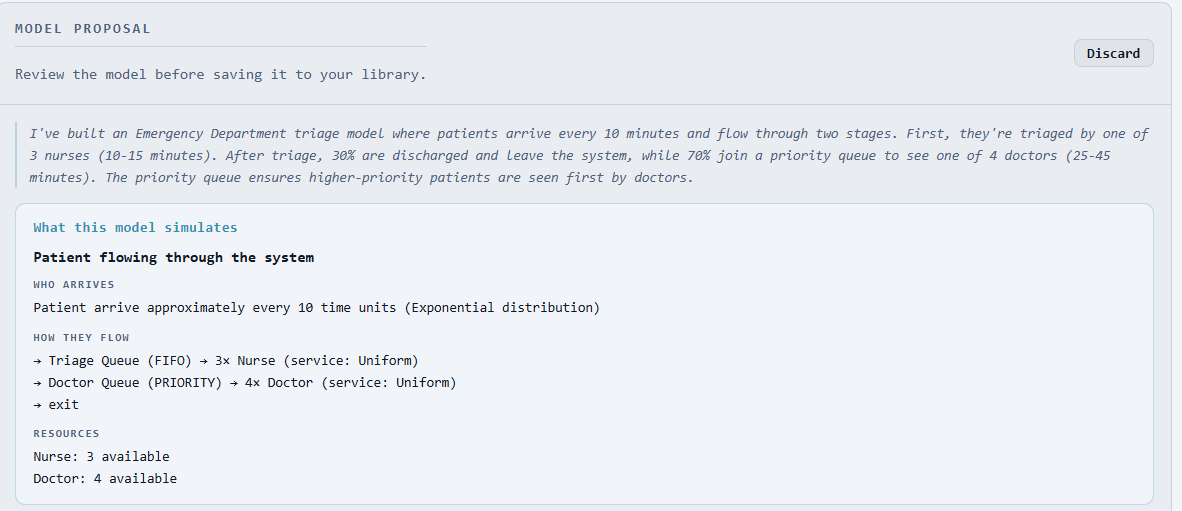
Describe your system in plain English and let the AI build a starting model for you — then refine it visually on the drag-and-drop canvas, or through the structured editors. No modelling experience required to get started. No coding required at any point.

AI Model Builder
Describe your process in plain English
AI proposes the model structure
Review and adjust before anything runs
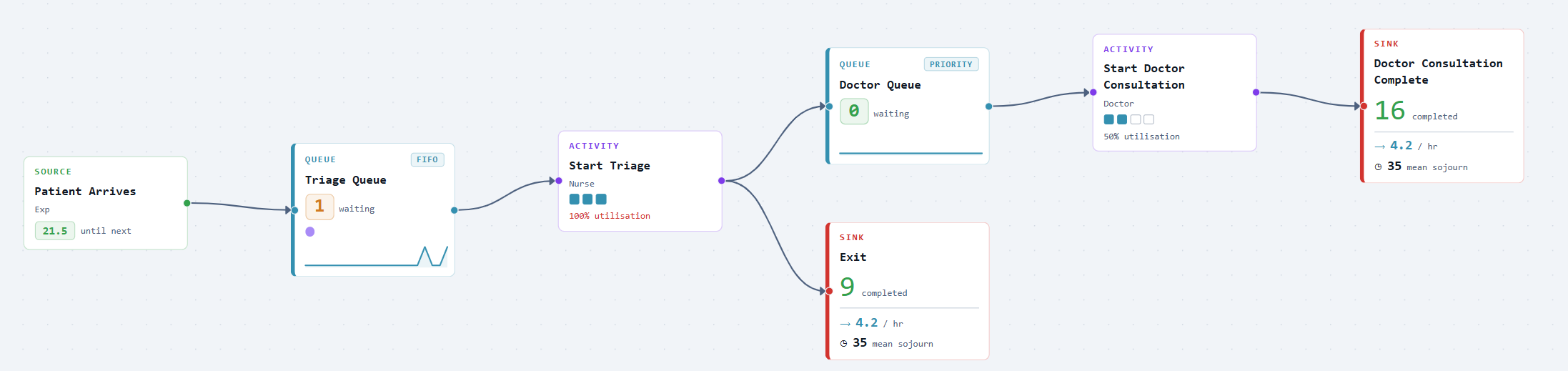
Visual Designer
Drag-and-drop canvas
Always in sync with the form editors
Instant visual validation
▶️

Run — robust experiments

Run a single simulation or a full replicated experiment. The engine is proven and handles real-world complexity correctly — results you can rely on, not just plausible-looking numbers.

Multiple replications in parallel
Automatic warm-up detection and removal
Parameter sweep to test configurations
📊

Analyse — results that speak plainly

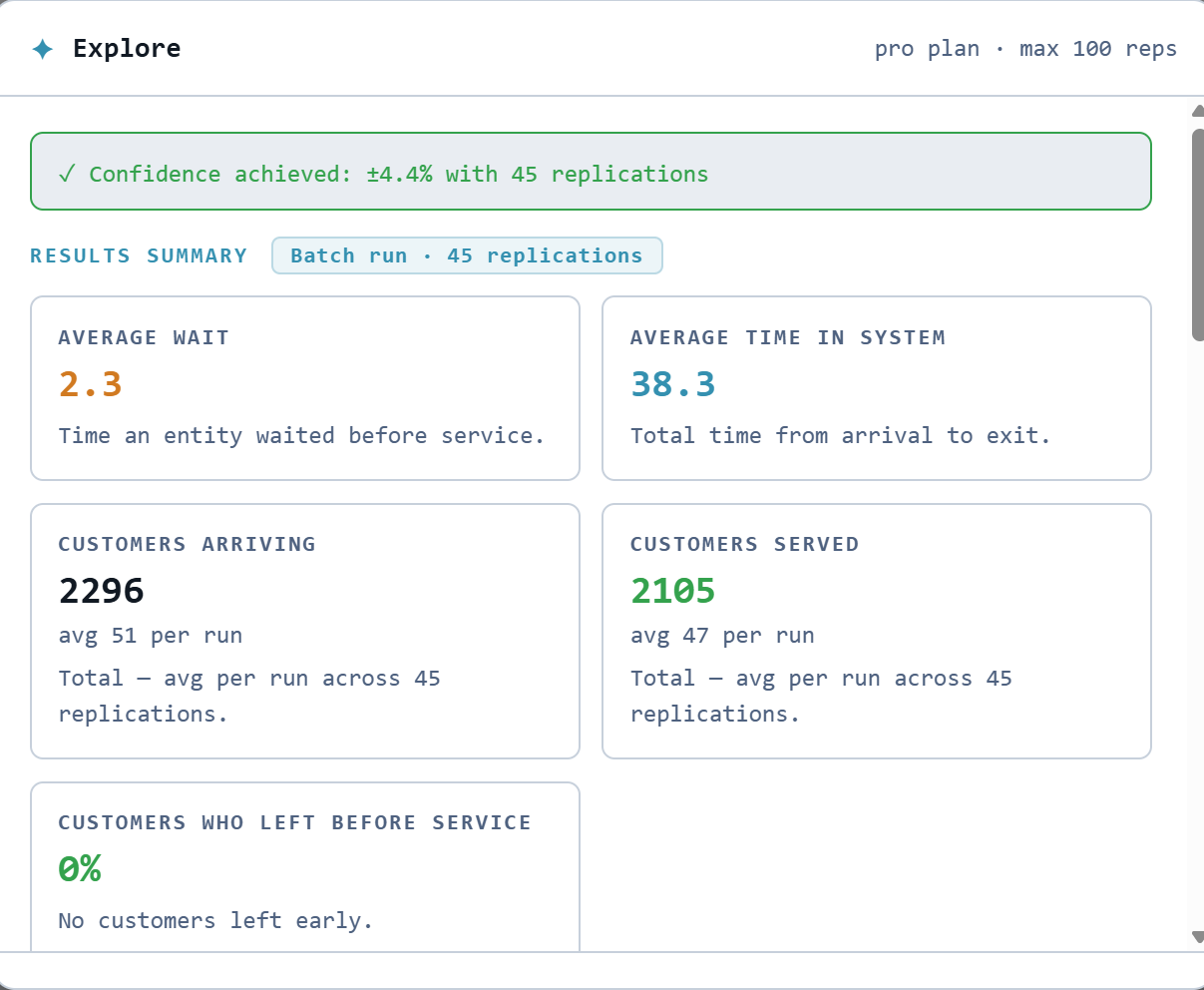
Confidence intervals, not just averages. The AI reads your actual results and tells you what they mean — what's working, what isn't, and what to try next.

95% confidence intervals on every KPI
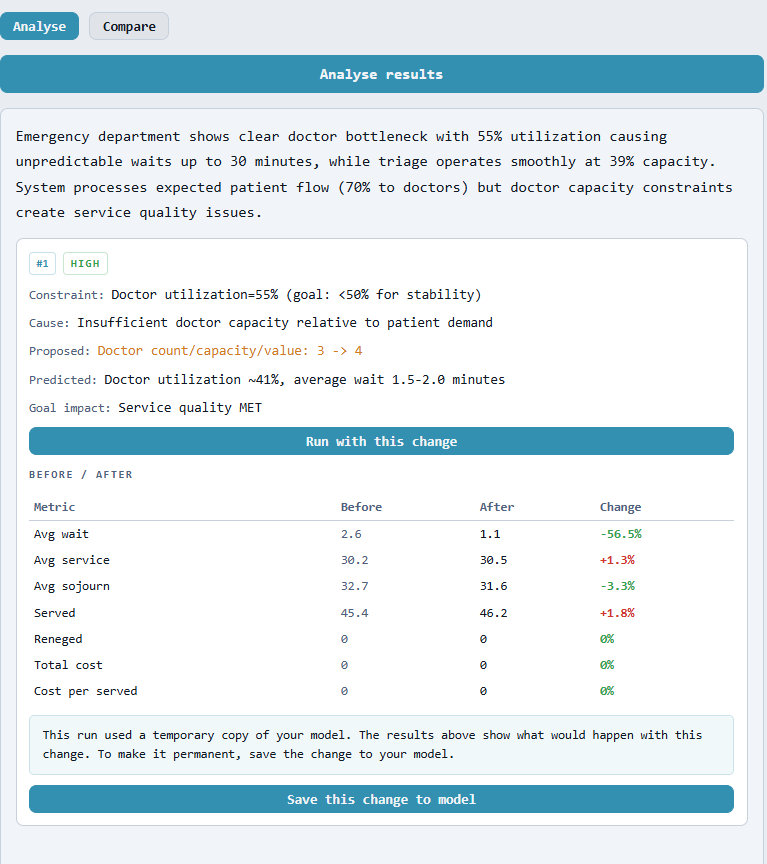
AI interprets results in plain English
Compare runs · Sensitivity analysis

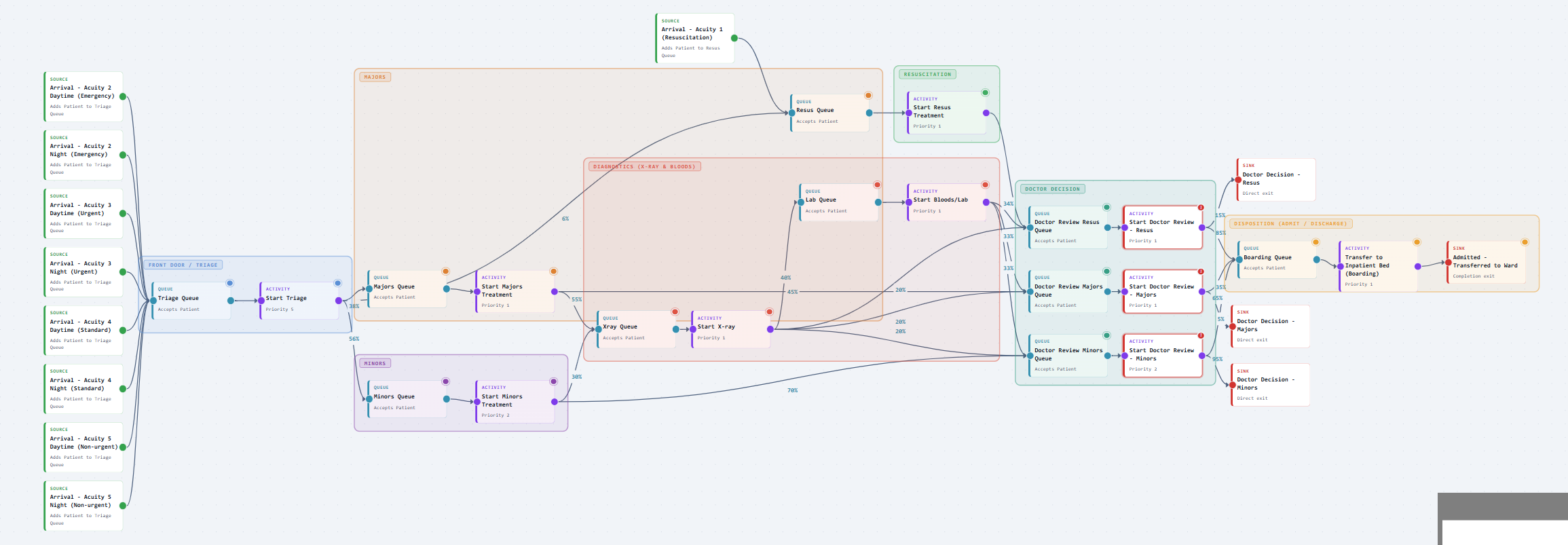
A&E triage, modelled in 20 minutes.

Two-stage emergency pathway

An emergency department receives patients at an average rate of 12 per hour. High-acuity patients (30%) go directly to a priority queue; low-acuity patients (70%) route to a secondary queue.

With 3 clinicians shared across both queues, the department runs at approximately 87% utilisation. The spreadsheet estimate says mean wait is around 14 minutes.

Running 30 replications with warm-up removal, the simulation tells a different story — and the AI Insights panel identifies the structural problem driving it.

Simmodlr — Run results
High-acuity mean wait4.2 min (CI: 3.1–5.3)
Low-acuity mean wait31.4 min (CI: 22–41)
Clinician utilisation87.3%
Throughput11.6 / hr (CI: 11.2–12.0)
Warm-up excludedFirst 60 min
Replications30 (2 flagged anomalous)
AI Insight

"Low-acuity wait variance is high — the CI spans 19 minutes. The shared queue is creating instability under load. Recommend modelling a dedicated low-acuity stream before committing to current staffing."

If you have a problem to solve, this is for you.

You do not need a background in simulation. You need a real problem and an honest answer.

"We need to understand this before we spend the money."

A decision is coming — a new service, a change in staffing, an investment in capacity. You need numbers you can defend, not a back-of-envelope estimate. Simmodlr gives you a model you can run, tweak, and present — built in hours, not weeks.

→ Run the scenarios. Know the risks before you commit.

"The system is struggling and I need to know why."

Queues are building. Waits are longer than they should be. Something isn't working but it's not obvious where the problem actually is. Simulation lets you see inside the system — test changes safely before touching anything real.

→ Find the bottleneck. Test the fix. Then act.

"I want to learn simulation properly, without the cost."

You're studying operations, engineering, or healthcare systems — or teaching it. Commercial simulation tools are expensive and slow to learn. Simmodlr is free, runs in a browser, and doesn't hide how it works.

→ Free. No install. No licence. No black box.

Ready to trust your analysis?

No account needed to explore. Sign up free to save models and run replicated experiments.

Free · No credit card · Browser-native · simmodlr.app